

October/November 2024
UX Design Case Study – Michael Russell with Fluidity Solutions
The Digital City is an all access platform for a Southern African Setswana diaspora to make it easier to connect with their heritage and to give access to their people to thrive through platforms such as a Digital School, Telemedicine, Community Outreach, Marketplace and Library. Another key aspect is for different communities within the diaspora under the head of the tribal peoples to be able to vote on matters within their Nation and within their individual communities. This is a double pronged platform where the people will get to vote on certain matters, receive invitations to both in-person and online community meetings and gatherings, as well as do surveys about the state of the community. These meetings and votes are created by the community chiefs (kgosanas) or the Digital City’s administrative team in conjunction with community leaders.
Core User flow (Community Members)
Main Dashboard
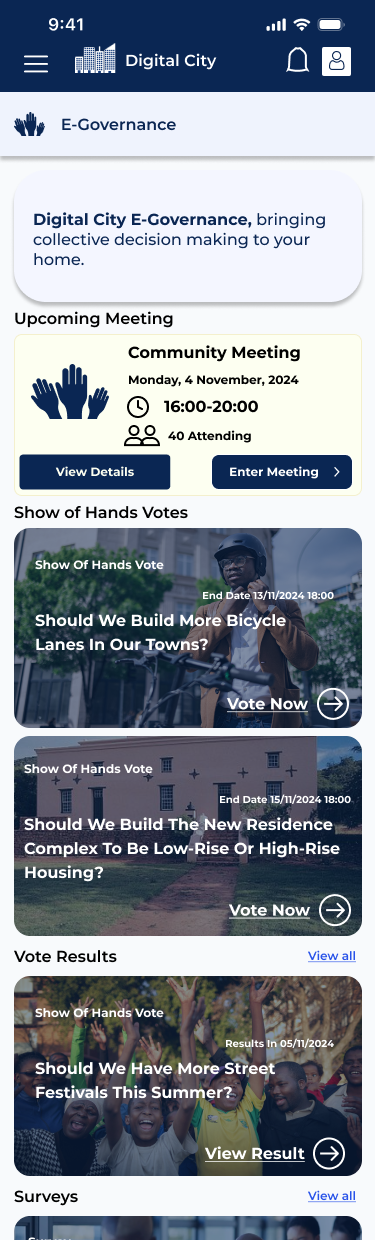
- A little blurb about what people can do through the E-Governance platform.
- Meetings always come first since they are the most important.
- Different Vote types come up next (explanation of vote types below)
- all votes show when that particular issue must be voted on with the date at the side.
- Users can see Results of previous votes (that they have participated)
- Any Survey’s they have participated in follow Vote Results.
- These will all be localized so the users will see only votes and surveys that concern their direct community or if the entire nation needs to participate.
Polls, Votes and Surveys
There are 3 different types of polls:
- A Show of Hands
- Anyone can participate.
- Automatically appears on dashboard.
- Closed Polls Vote
- Only those who are invited can vote on these.
- Participants votes are seen by Admins and creators.
- Must respond in notifications.
- Secret Vote
- Same as closed vote .
- Participants votes are secret to everyone.
Show of Hands Poll Flow
Each Vote contains a description of the issue and a set of different options.
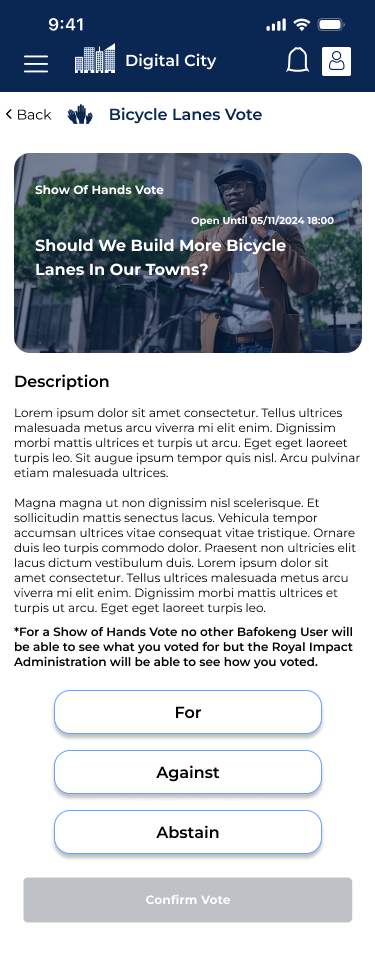
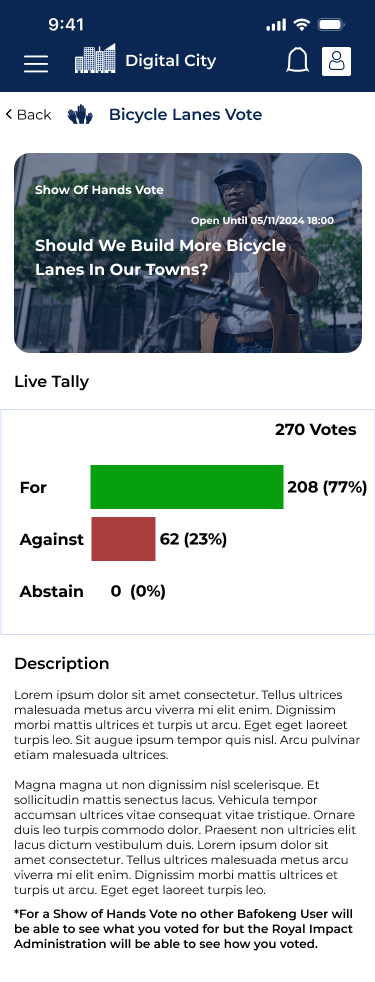
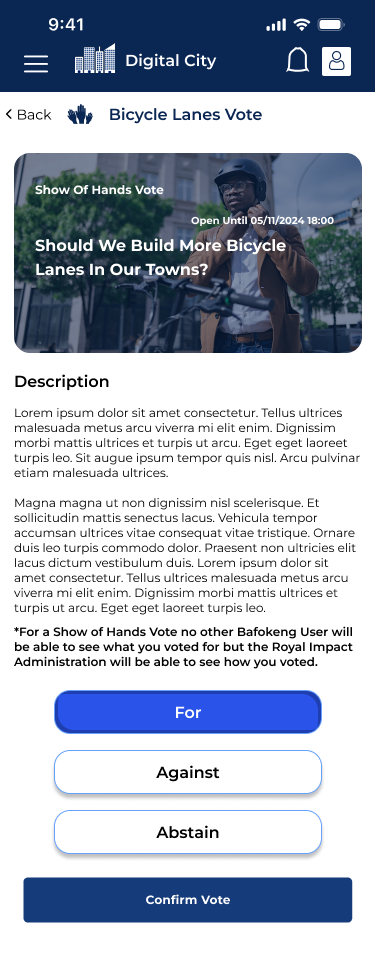
- Left screen shows a Live Tally of the votes that the user can see.
- Right Screen shows a resulted vote.
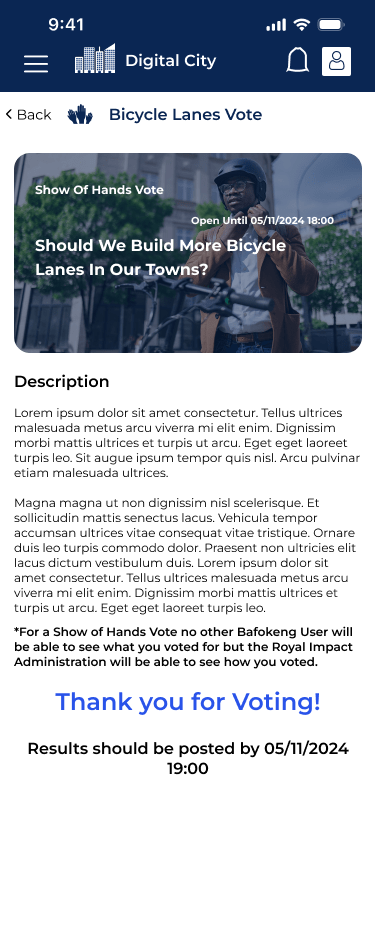

Closed/Secret Polls Flow
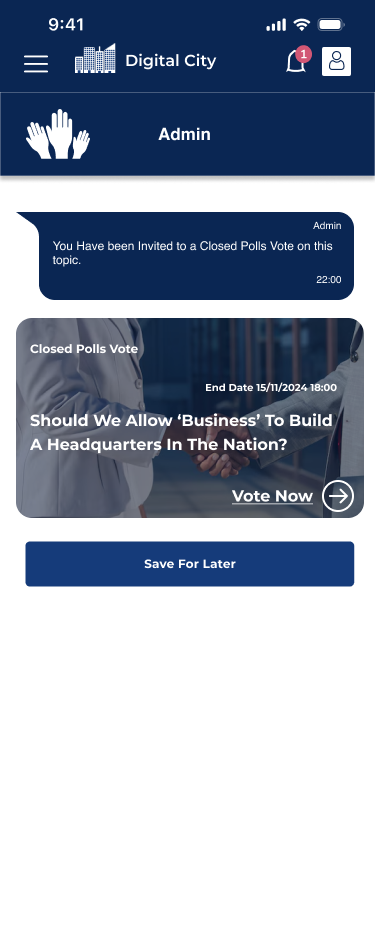
Notification
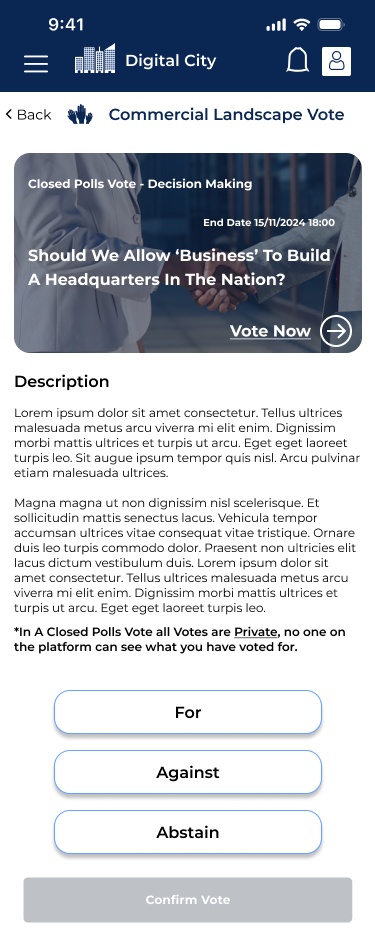
Closed Polls
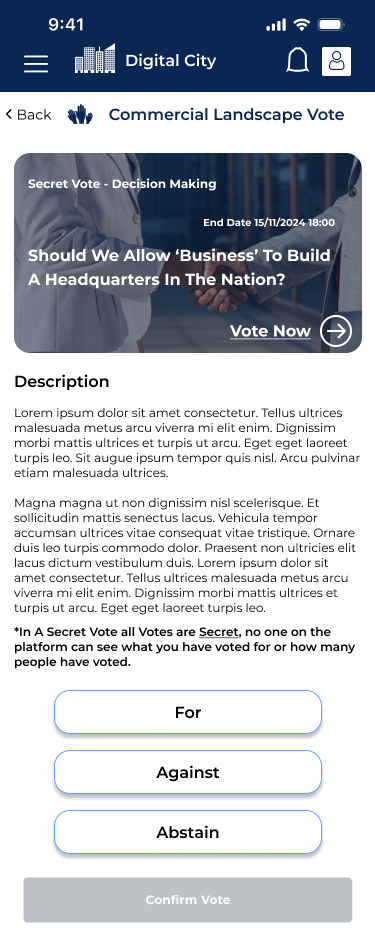
Secret
Survey View

For the Surveys we took inspiration from some of the industry leaders at how they may look to the users. This was largely inspired by Buzzfeed offering quick and digestible items. It is simple and efficient to select your desired response and the user is once again like in any vote offered a full description of what is needed and why they are completing this survey.
Community Meetings
Another main function of the E-Governance platform is to host and invite people to community meetings. These meetings may be in-person but will also be live streamed for community members who cannot make it to the meetings.
- User is invited to the meeting
- User Views details and accepts or rejects
- User joins meeting (must do this for attendance purposes even if RSVP-ed online or in-person) entering code from whatsapp.
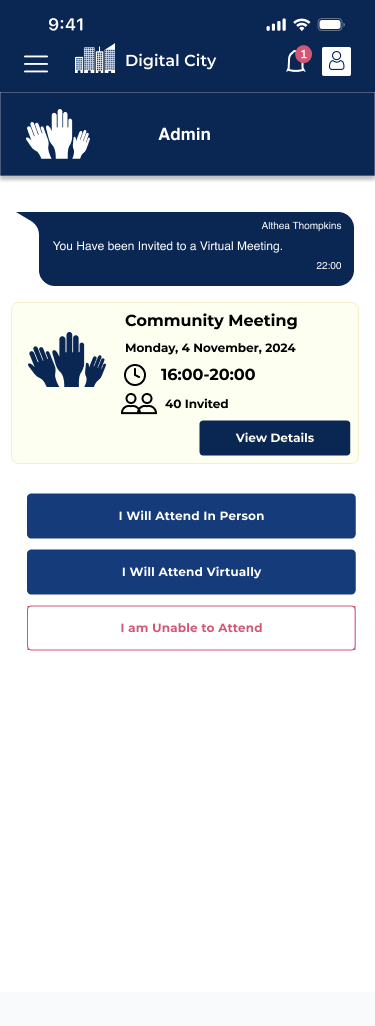
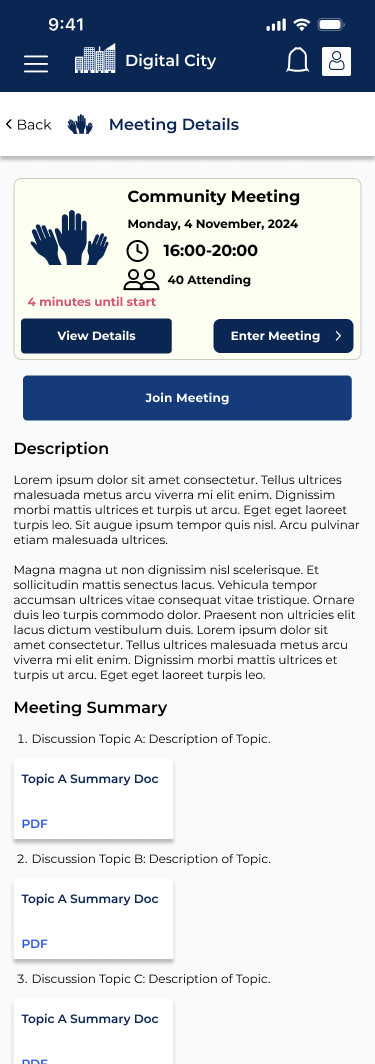

The meetings contain summaries of what is to be discussed with any extra literature so the invitees are fully informed. Meetings can be open or private (invite only) only admins and high ranking community members can create these meetings.
Administrative Flow
The Admins and tribal community leaders are tasked with creating polls, surveys and community meetings. Since the administrators are far more technologically savvy then the wide range of community leaders they are initially in charge of pairing individual users with their community leaders so specific polls and meetings are created with the intention of serving their direct communities without hassle.
Dashboard

- Admin is greeted with upcoming meeting and materials on the right hand side
- Left contains Schedule and views of their created polls.
- Quick links to ‘Create Poll’ or ‘Create Meeting’
- Links to Results, all poll types, and all meetings past and upcoming so they can be reviewed.
Creating Polls and viewing results
All the admin or community leader needs to do to create a poll is to click the quick link to create a poll and they are greeted with this screen.
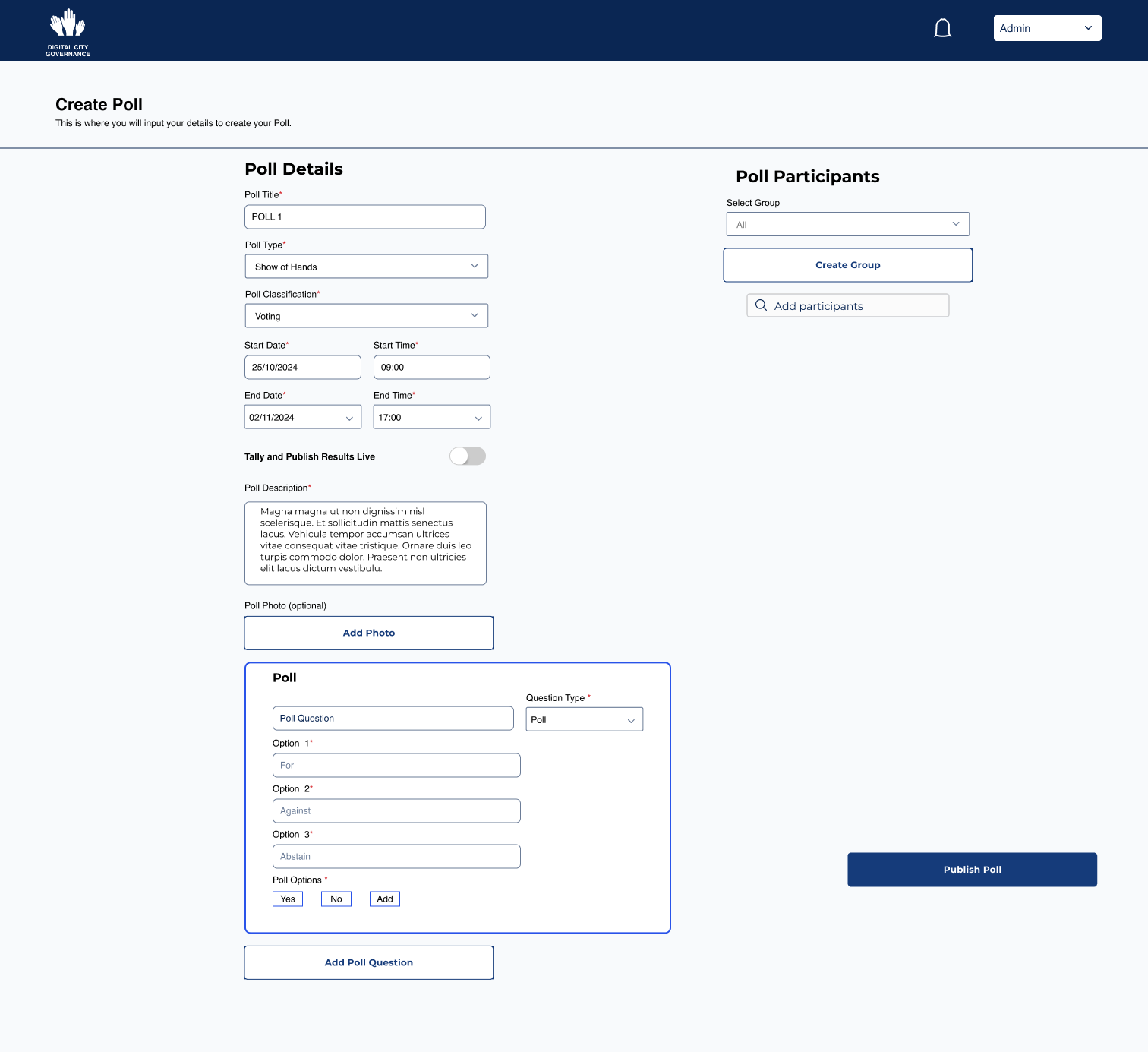
- Admin titles the Poll.
- Selects type: Show of Hands, Closed, or Secret.
- Selects whether it is a single issue vote or a survey.
- Selects Dates and Times the Polls Open and Close.
- Toggles whether it is tallied Live or Published when Resulted.
- Writes a description of the issue.
- Adds a Photo.
- Creates the Poll Question. (Can Add questions if it is several issues)
- Adds Guests: Either individually or through the Drop Down which contains groups that the admin or tribal community leader is connected to.
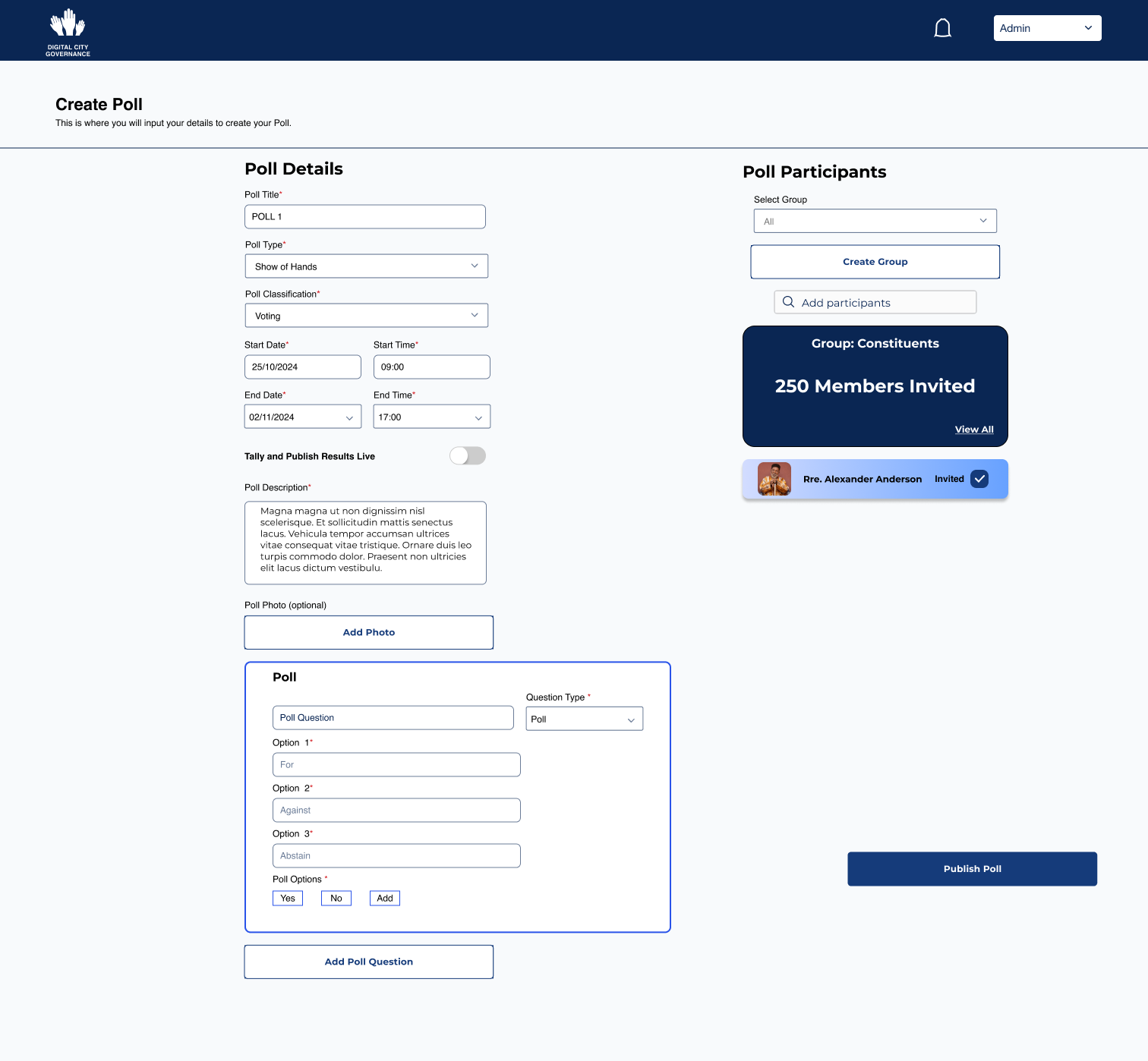
Here they have added their constituents and another Local Chief (Kgosana) to the poll.
Viewing Poll Results
On the Home Dashboard the admin/kgosana can view the results of a poll either through selecting the most recent closed poll at the left hand side or going through another of the quick links.
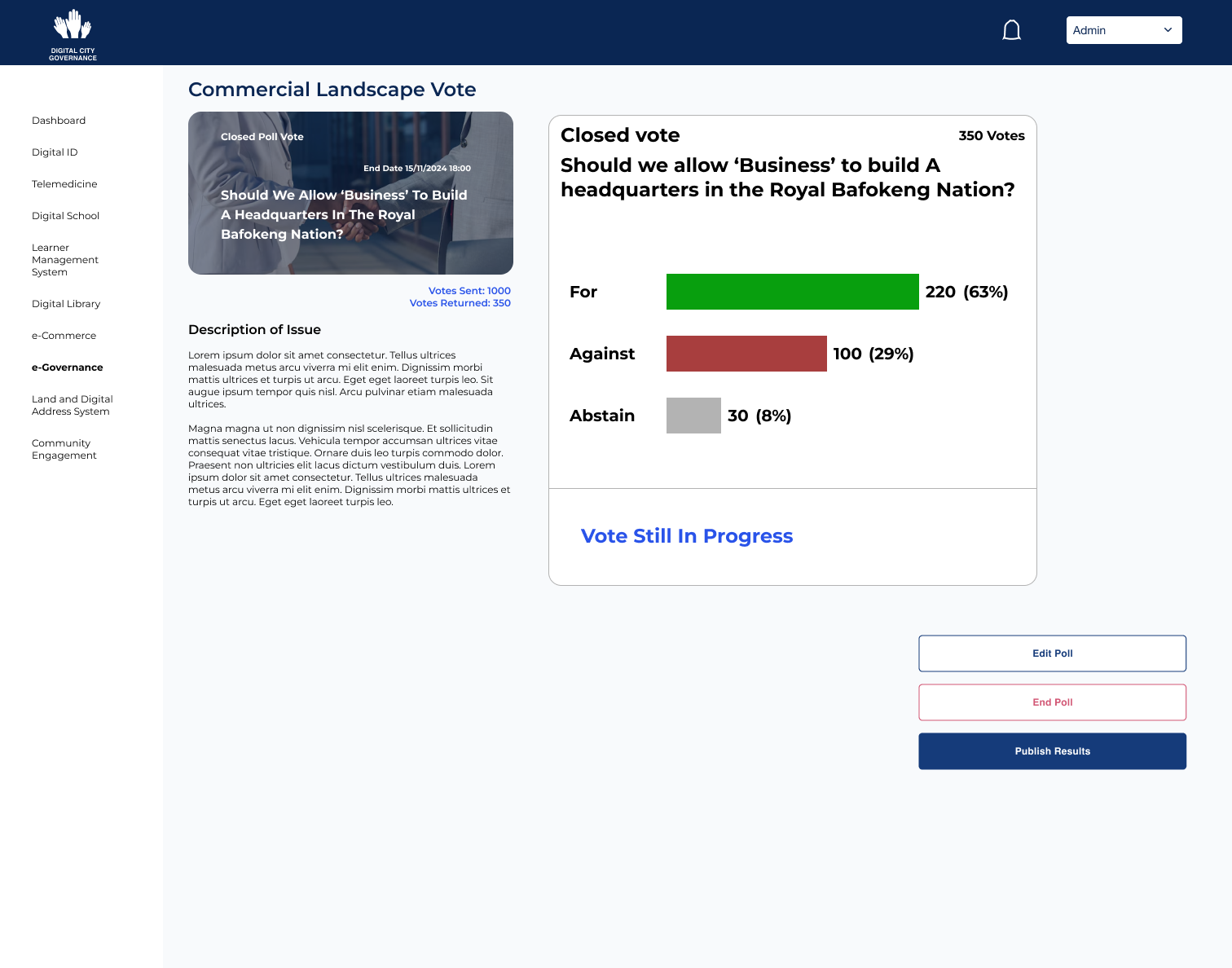
This Poll is still in progress and they have the power to edit or end the poll. If the Poll is edited a notification will be sent out to the users who have voted to see if they need to amend anything.

With a completed poll (with a show of hands or closed polls vote) the Admin can see who voted for what. (The Options are on a menu bar and are numbered to see all the votes. (NB Richard Cresswell is just a placeholder and this vote wasn’t corrupt). On the left hand side they see the results of the vote by number of voters and percentage with the winner clear in green.
Creating and Running Meetings
The Admin/Kgosana creates the meeting through the create meeting quick link and this screen appears.
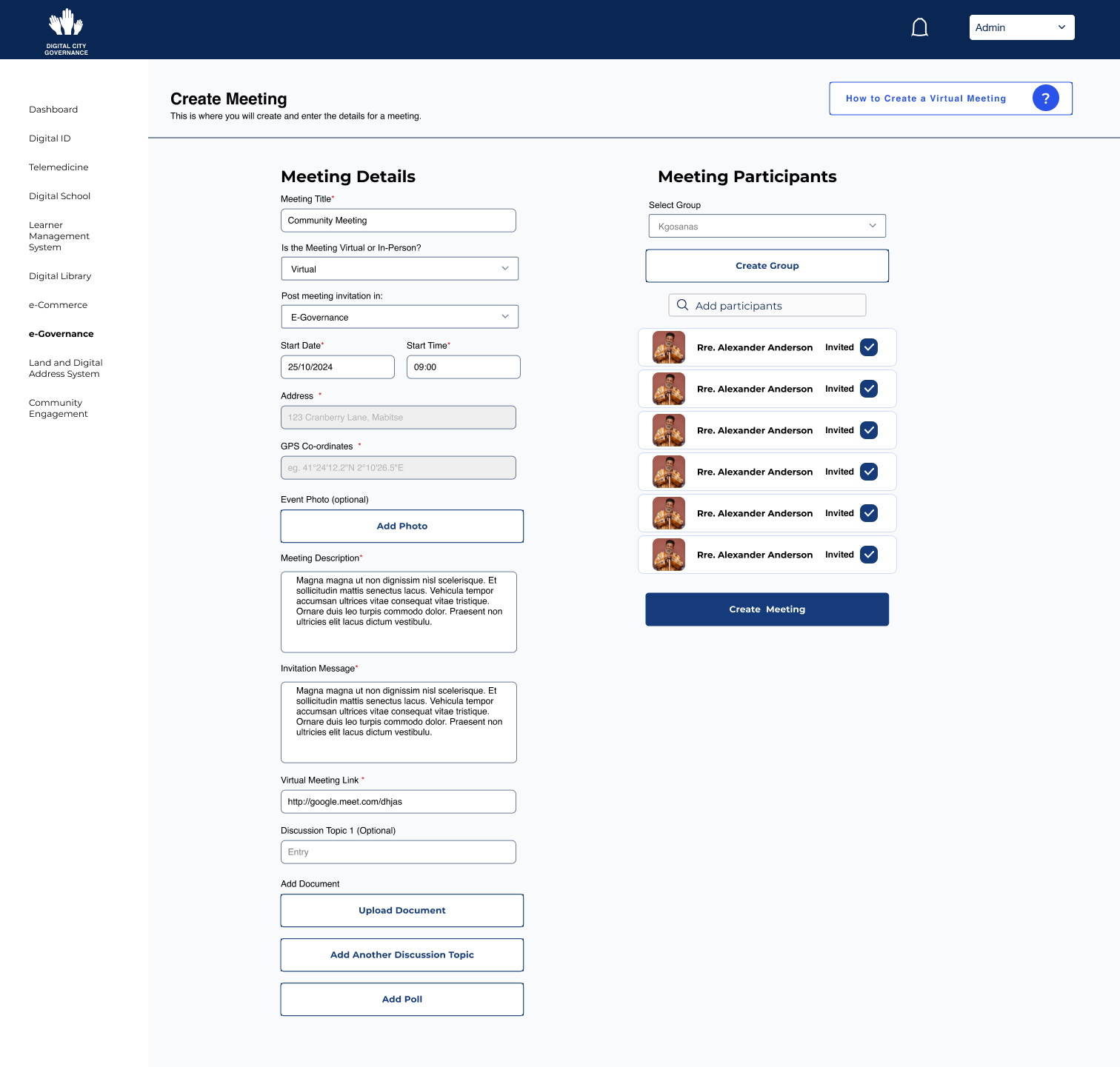
This meeting is for all the kgosanas to discuss policy. To complete meeting creation they must:
- Title the meeting
- Select whether it is virtual or In-Person
- Post to either E-Governance or Community Outreach.
- Start Date and Time with address if in-person.
- Add a Photo (Optional)
- Provide a Description
- Create and Invitation message.
- Add A Link
- Add Discussion topics with any necessary documents.
- They can also add polls if needed.
- Invite either by specific groups or individuals.
- At the top there is a link on how to create a virtual meeting on googlemeets for those that are less technologically savvy.
Running a meeting
The meeting runs through google meets but there are some added advantages of running it through the platform for whoever is in charge.

The meeting administrator can toggle between attendees and notes, and can start the meeting when every one is online. They can Message All and Send Polls (the ones they connected in creation of the meeting).
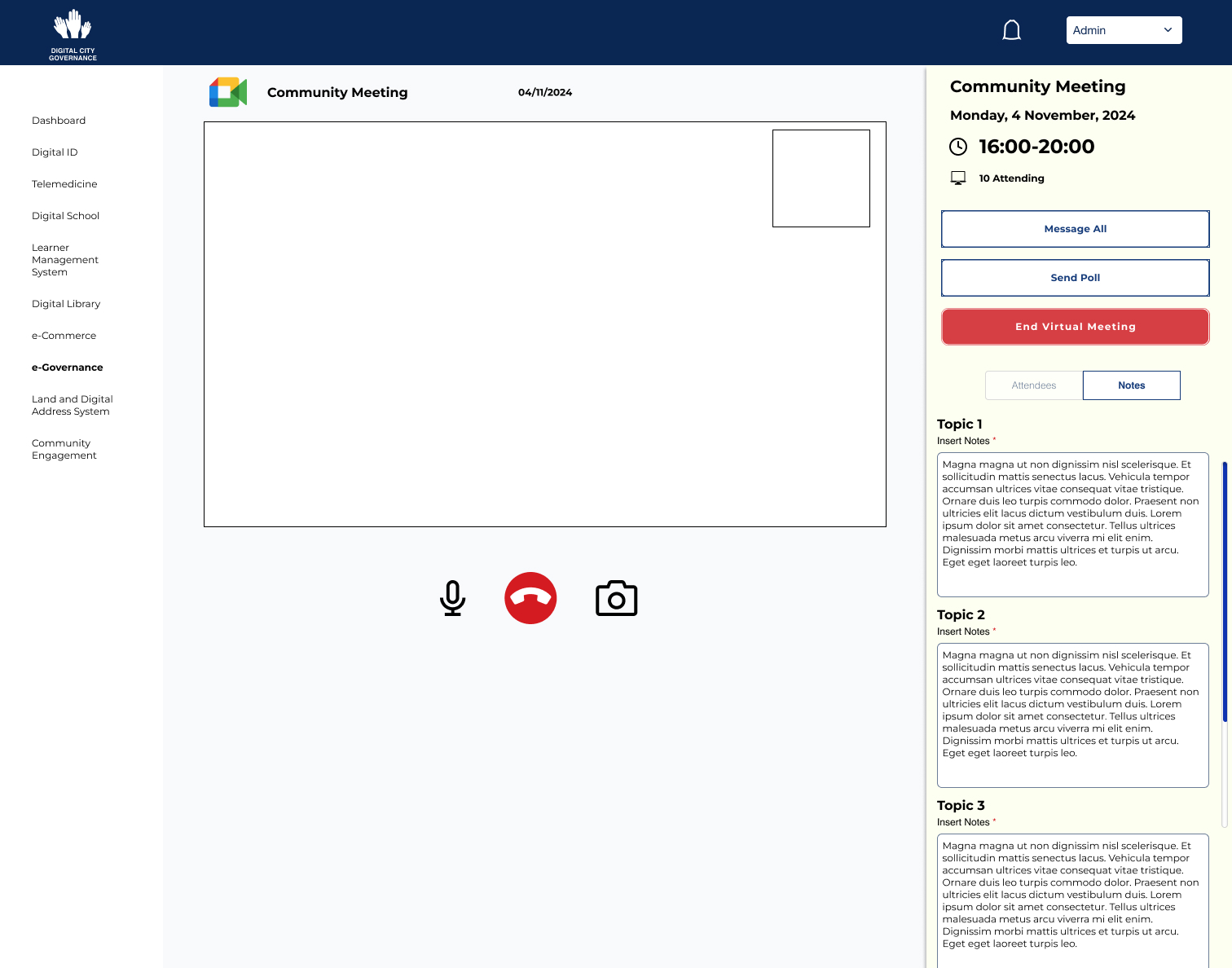
The notes are organized through the discussion topics so they can be easily transcribed into the meeting minutes afterwards.

In this instance there is a poll with each discussion topic that can be sent out and will be voted upon by members of the meeting in an official standard.
General Conclusions
Governance isn’t easy but moving certain votes for the affairs of these communities into the 21st century and insuring that they are all within a government owned system (the sign-up process for the Digital City is incredibly in-depth and all citizens must be approved by their Kgosana (chief) and 2 Administrators) allows for decision making and voting within the community as simple as possible. Why wait for hours in polling queues when it can be done with the tap of a finger or during a in-person or virtual meeting. It allows the community to have more transparency but also add familiarity and some fun in the process. The transparency creates trust in the system and henceforth hopefully trust in their system of governance. It’s easy to access constituents, it makes the community feel closer to those in charge and it shows that every voice matters.
 Michael Russell Design Portfolio